



Klipsch’s ProMedia 2.1 desktop speaker system convinced a generation of PC owners that computer audio did not have to be an afterthought. Released in 1999, it sold well, and remained on desks and shelves for years after its competitors had been landfilled. It was not particularly subtle, but at the time it seemed revelatory compared with the weak, forgettable desktop speaker systems it replaced.
Twenty-six years later, Klipsch has revisited the formula with the ProMedia Lumina 2.1, priced at US$379.99, CA$499, £329, or €349. The 2.1-channel format endures: two satellite speakers are supported by a dedicated subwoofer, each freed from the other’s constraints. Without the obligation to handle bass, the satellites can be optimized for midrange reproduction. Without the need to match the satellites’ footprint, the subwoofer can use a larger driver and a properly sized, tuned enclosure. The division of labor is elegant in principle, and in practice a 2.1 system can play meaningfully louder and lower than similarly priced stereo alternatives, which also makes the format work in spaces beyond the desk—wherever you need an unobtrusive system and have somewhere nearby to tuck a subwoofer out of sight.
This new version adds RGB backlighting to the satellites (hence “Lumina”), USB‑C and Bluetooth 5.3 connectivity, redesigned cabinets, and upgraded components. The question is whether those updates represent progress or padding, and whether the underlying speaker system has kept pace with a field that is now considerably more competitive than when the original ProMedia made its name.
Inside and out
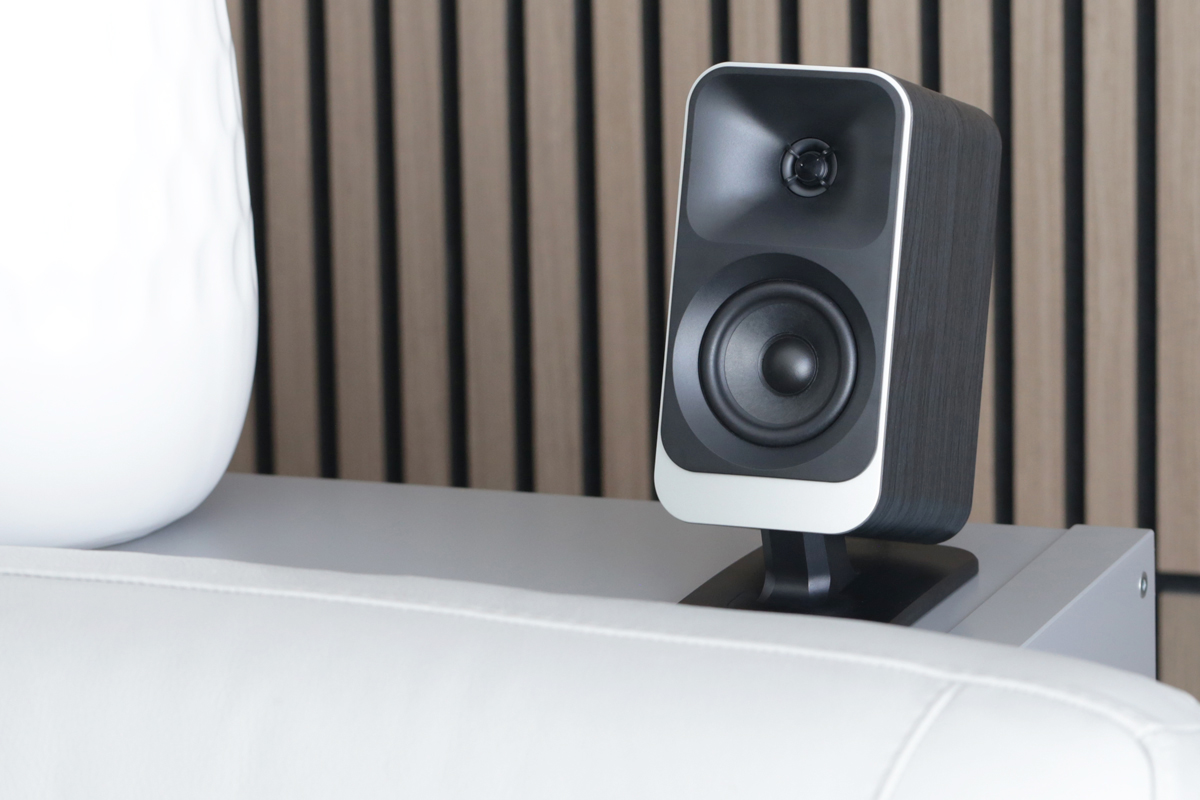
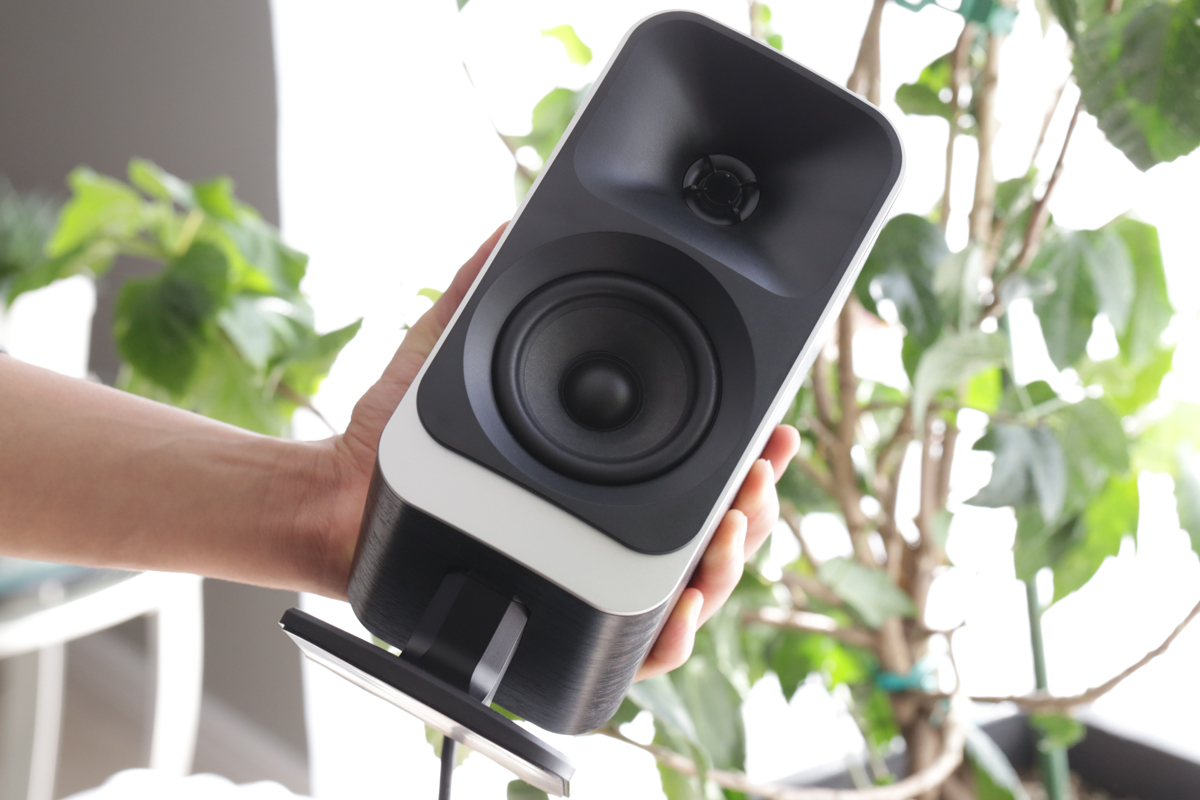
The Lumina system comprises a pair of sealed two-way satellite speakers and a ported subwoofer. The satellites’ enclosures are built from ABS plastic with a carbon wood-grain vinyl finish that looks better than you might expect after hearing that description. Each satellite cabinet measures 9.75″H × 5″W × 6.5″D, including the integrated plastic stand, which is permanently attached to the speaker at a captive pivot point. This allows the speaker to be tilted upward up to 18 degrees or downward up to 5 degrees, a useful feature that enhances placement flexibility.
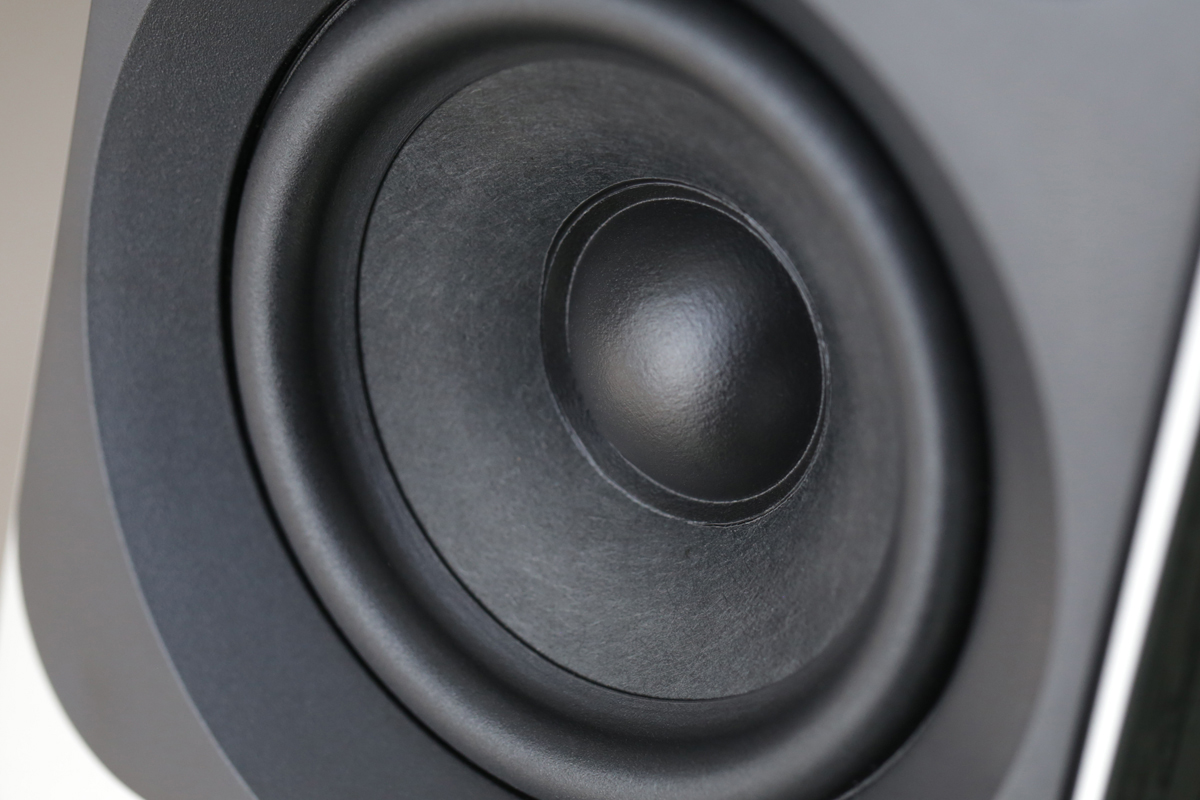
Klipsch made some interesting decisions with the subwoofer design. Rather than the squat, cubelike format that desktop subs typically adopt, Klipsch went with a slim, tall enclosure, measuring 14″H × 6″W × 13.9″D, constructed from MDF. It’s proportioned like a miniature tower PC and looks like it was built to a cost—in other words, intended to be hidden away. The surprisingly small, unprotected 6.5″ woofer driver has a substantial rubber surround. It fires from the right side of the box, while the port faces forward. Four feet on the bottom of the enclosure indicate that it’s meant to be kept upright. I couldn’t help worrying that I was going to accidentally damage the woofer, what with it being completely exposed. A protective grille would have been a good idea, given that it’s meant to be kept under a desk by your feet.
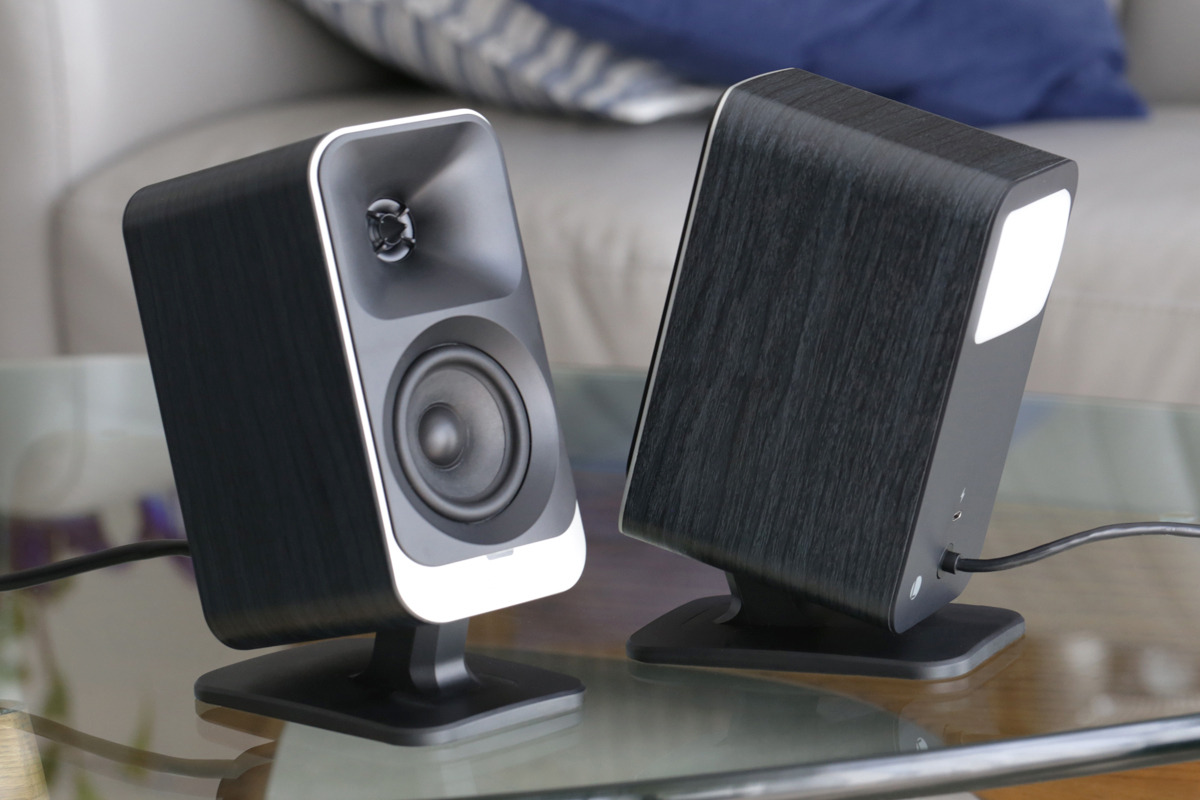
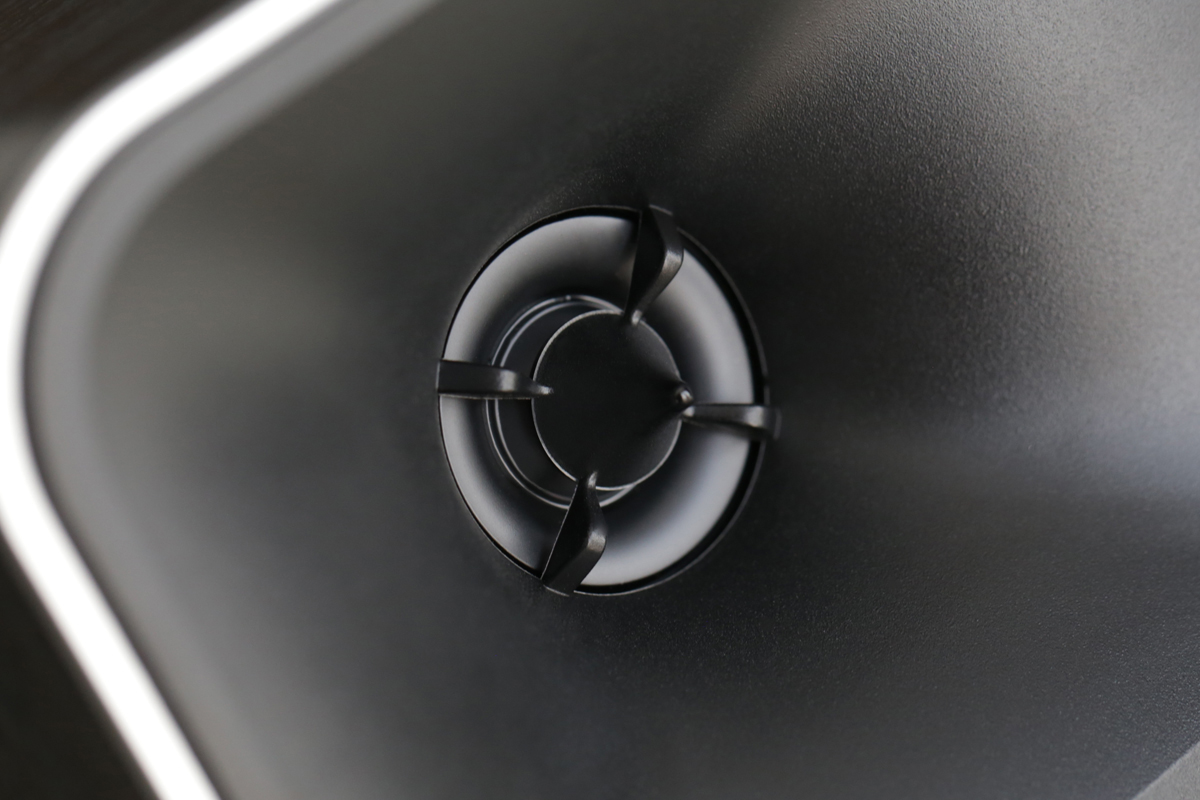
Each satellite houses a 3″ midrange driver and a 1″ Mylar soft-dome tweeter, the latter mated to Klipsch’s MicroTractrix horn. The horn-loading is a Klipsch hallmark, intended to improve tweeter efficiency and provide better control over dispersion. The crossover point is set at 3.5kHz between the midrange and tweeter in the satellites, which hand off to the sub around 150Hz. The whole system is powered by 100W RMS of amplification built into the sub’s enclosure. Klipsch does not specify how many of these watts go to the sub and how many to the satellites. The satellite speakers have conventional passive crossovers, but the system uses DSP to apply EQ. Klipsch rates system frequency response at 40Hz–20kHz, -6dB, with a maximum output of 98dB SPL.
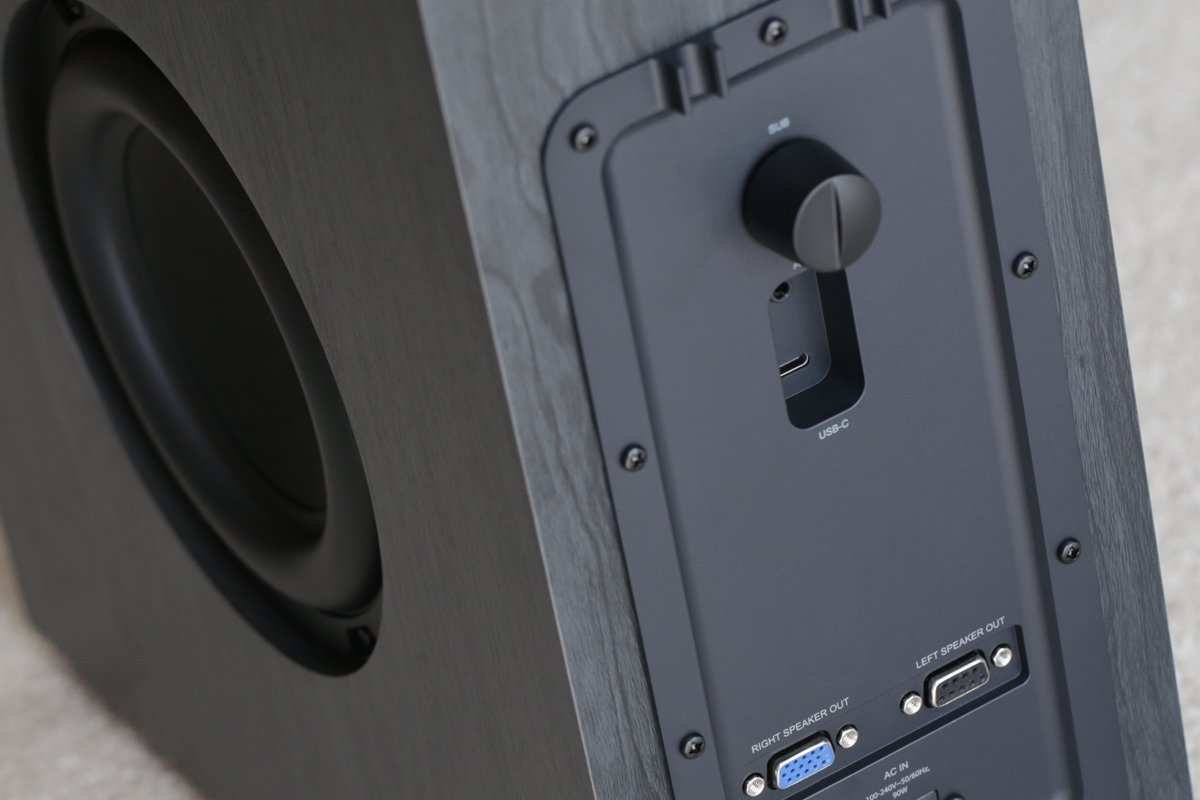
Connectivity on the back of the subwoofer includes USB‑C for digital audio from a computer and a 3.5mm auxiliary input for anything that speaks analog. These ports are a bit hard to locate in low light, which again is a problem, given the expectation that the sub will be kept hidden away under a desk. There’s Bluetooth 5.3 for wireless audio transmission from a phone, tablet, or computer, though no advanced codecs are supported. There is also a USB flash-drive mode: plug a drive into the USB‑C port and you can play files stored directly on it without a computer in the loop—a feature rarely seen at this price, though I’m not sure how many people will use it. One connector that is notably absent: an optical digital input.
A 3.5mm headset jack on the back of the right satellite allows you to connect either TRS headphones or TRRS headsets, with the headset-mike audio passing to the host computer whether the speakers or attached headset are acting as the audio output (switchable by pressing both volume keys simultaneously). The Klipsch system doesn’t have its own onboard microphone, which seems like an omission, because to the host it appears as a USB‑audio input device regardless of whether there’s a headset mike attached. The left speaker features a bonus rear-mounted USB‑C port that will charge a connected device at 10W but doesn’t pass any audio.
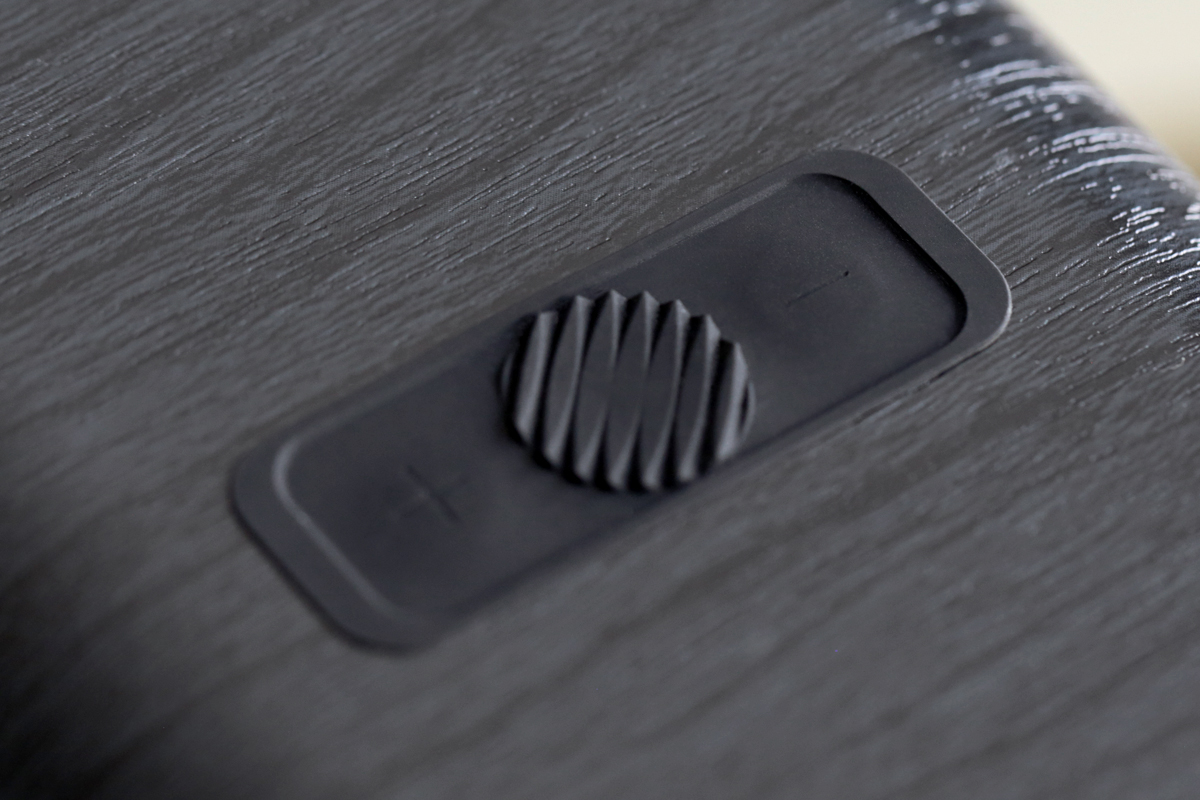
Physical controls are minimal by design, and there’s no remote. A multifunction button on the back of the right satellite handles input switching, LED lighting modes, and Bluetooth pairing (hold for one to two seconds to enter pairing mode). Volume buttons sit on the top surface of the right satellite with a circular, rubberized standby switch in between. On the subwoofer there is an independent gain knob for adjusting low-frequency output, which is only marginally more convenient than finding that particular control in an app. Useful, mainly because I found that the system tends to forget the subwoofer level setting; however, the knob rotates continuously, so doing it this way requires setting the level by ear, whereas the app is more repeatable. The LED indicator on the front of the right satellite glows blue for Bluetooth mode, green when using an analog source, red when a USB drive is in use, or white when connected to a USB host like a laptop.
The satellites have hardwired, proprietary cables of different diameters that connect to the subwoofer with multipin D‑sub connectors. This is worth flagging, because if one of those cables fails or you want to extend their reach, you’re going to be out of luck. Cable-management clips on the subwoofer are intended to keep the speaker interconnect cables tidy, but there’s no neat solution for dealing with any surplus cable lengths.
Setup
Getting the system up and running is straightforward. Connect the satellite cables to the subwoofer (thumbscrews make the attachment more permanent), connect the two-prong power cord, select your input, and it’s ready to make sound. The subwoofer location is flexible, though obviously it needs to be within cable range of both satellites. The cables are each 78″ (2m) in length, long enough for most desktop configurations. Basic functionality doesn’t require the desktop or smartphone app, but if you want to dig deeper into sound-tailoring options, that’s where you’ll find them.
App control
The Klipsch Connect Plus app for iOS and Android, along with the Klipsch Control desktop application for Windows, extends control options considerably. They do not require that you create an account, but the iOS app did need permission to access my local network before allowing me to proceed, and it’s not clear why.

The app provides a six-band equalizer, although the EQ bands are fixed-frequency graphic bands rather than parametric controls. That means you can reduce or boost at the provided center frequencies, but you cannot precisely target a specific problem frequency or adjust the filter bandwidths. The bands also top out at 8kHz, leaving the region above that untouchable. Users wanting full customization of the response would be better served by a third-party software EQ like Equalizer APO for Windows.
Beyond EQ, the app handles subwoofer gain and offers a Night Mode option that tames bass output for considerate late-night listening, a Virtual Surround mode intended for gaming, and a Movie Mode option that amps up both the bass and treble relative to the default Music Mode option. Firmware updates come through the Windows desktop app only. Also only on the desktop app, Screen React mode samples colors from the corners of your monitor and mirrors them to the satellite LEDs in near-real time.
Those LEDs are worth mentioning. Each satellite has six LEDs on the rear, behind a rectangular plastic lens. This provides ambient backlighting against the rear wall, with five preset modes and the option to customize colors. Music React mode makes them pulse in response to the currently playing audio. These displays look impressive in the dark and will fit in with a certain kind of desktop-gaming setup. For those of us who care primarily about what comes out of the drivers, though, it is hard not to wonder whether the money that went into the lighting hardware and the software to drive it might have been better spent on a more capable (parametric) equalizer, on an optical input, or on beefing up the subwoofer. The LEDs are not a bad feature, but they feel like a category compromise rather than a free upgrade.
Listening
All my listening was done in Music Mode, with the satellite speakers positioned about 2.2′ apart on my desktop. I started out with the sub on the floor, as recommended by Klipsch. However, during my first session of serious listening I opted to move the subwoofer from the floor to the space between the satellites, where I found the bass to integrate better. This is likely due to a combination of the crossover frequency being a little high and the better time alignment of bringing the components closer together.
The subwoofer helps the Lumina earn its keep by adding a convincing low end that’s a lot more appealing than the thumpy one-note bass that once plagued this type of computer audio system. Having a dedicated 6.5″ driver in a ported enclosure allows it to reach down to the vicinity of 40 to 50Hz, which is lower than most in this size class and price range. The gain knob on the subwoofer makes it easy to dial the low end to taste or placement. When sitting up close to the system, I found that it benefits from higher subwoofer levels than are needed when listening from across the room. For close-range listening, I set the sub level at +4dB and the EQ to flat.

Throughout my listening, the overall presentation of the system was impressively weighty but not particularly nimble. It could sound a bit sluggish when presented with faster, heavier material, and I found I preferred the sound of electronic and dance music rather than music featuring traditional instrumentation. For example, the dense, guitar-heavy mix of “Endless Desolation” from Judgement Day (The Aftermath) by Symphony of Malice (24‑bit/44.1kHz FLAC, Symphony of Malice / Spotify) felt as though it were being weighed down during faster passages of galloping drums and guitars, whereas something like the Moroder-Naidanow remix of DAF’s 1981 EBM classic “Der Mussolini” from Das Ist DAF (24/44.1 FLAC, Gröenland Records / Spotify) received a presentation that felt better suited to the source material, thanks to its synth elements having been calibrated for a club sound system in its production.
The Lumina’s Klipsch horn-loaded design DNA means its frequency response tilts upward: the upper treble is slightly elevated. It’s a deliberate tuning choice, and it does give the impression of enhanced detail and air at first listen. But when the speakers are pointed directly at you, which is exactly where desktop speakers typically end up, the boosted treble can cross from detailed into fatiguing with time.
The fix is pretty simple: toeing the speakers outward, pointing them past your shoulders rather than straight at your ears. Because of the narrow horn-loaded dispersion, toe-out somewhere between 20 and 30 degrees takes the edge off the top end without sacrificing much in the way of imaging or vocal clarity. If you prefer to point them straight at you because you like a brighter, more forward character, the adjustable tilting stands let you aim the tweeters closer to ear level. Either approach works; the point is that placement and aim matter a lot with these speakers.
In “Goodbye (Erol Alkan Rework)” (24/44.1 FLAC, Virgin EMI / Spotify) by the Chemical Brothers, Alkan pushes the Brothers’ synth line further into dissonant analog territory, while coupling it with celestial breakdowns. He masterfully combines soulful vocals and epic, widescreen techno with the Chemical Brothers’ typical psychedelic edge. The synth bass line runs in a register that occupies the space between kick and midrange, functioning as connective tissue. The mix features big filter sweeps, analog saturation, and prominent hi‑hats, all of which can become objectionable with any additional high-frequency emphasis. Angling the speakers was the only option here, given the limitations of the app’s equalizer.
Percussion elements in the track fade in and out of the mix with no clear demarcation, and its dynamic range is impressively wide for an electronic production intended for club systems. This gave the low-end extension of the Lumina full room to operate: the sub-bass elements sitting below the threshold of typical desktop speakers were rendered with the weight they were designed to carry, respectably audible on this system, even though it was incapable of reproducing the bottom octave.
In general, the horn-loaded tweeters lent vocals and leading edges presence and focus. This in turn made stereo imaging feel more precise. Instruments sat in well-defined positions across the soundstage, and the nearfield listening distance of desktop use played to the system’s strengths throughout the audition period.
“Stay High” from Brittany Howard’s Jaime (24/44.1 FLAC, ATO Records / Spotify) features a production that is deliberately unslick. For example, the acoustic guitar has a slight room sound that suggests a natural recording environment rather than close-miking in an isolation booth, and there is no audible pitch correction on Howard’s incredible vocals, which means the occasional catch in the breath is preserved as part of the performance. Robert Glasper plays celesta on this song, adding an instrument whose timbre, somewhere between a music box and a toy piano, functions as the track’s harmonic anchor without sounding like a conventional keyboard part. The mix is well-separated, with each element given its own spatial position rather than being pushed into the center for impact.
I found that the Lumina’s elevated upper treble could make metallic percussion, and cymbals in particular, sound slightly artificial, with a grainy, papery quality on complex transients. Again, this led me to conclude that electronic music fared better on this system than natural-sounding tracks like “Stay High.” At higher volumes, the distortion climbed, though it remained manageable given how compact the system is. It could sometimes sound as if the 3″ midrange drivers were working near their limits—not a deal-breaker, but audible at louder listening levels on some material, for example the single “We Appreciate Power” by Grimes and HANA (24/44.1 FLAC, 4AD / Spotify). By design, the built-in limiter prevents anything catastrophic.
Comparison
Priced at US$349, the FiiO SP3 BT makes for an instructive comparison with the ProMedia Lumina. Intended for desktop use, the FiiO also features RGB lighting, so it’s clearly targeting the same customer base. The FiiO is a two-way stereo speaker system with no subwoofer, built around a 3.5″ carbon-fiber midrange-woofer and a 1″ silk-dome tweeter in an all-aluminum-alloy cabinet, with a specified frequency response of 65Hz–20kHz. For my listening comparison, I placed the FiiO speakers alongside the Klipsch satellites on my desktop. Plugging both sets into my MacBook Pro’s USB port made switching back and forth easy, and I level-matched using a ‑10dBFS test track to give me 75dB between both sets of speakers.
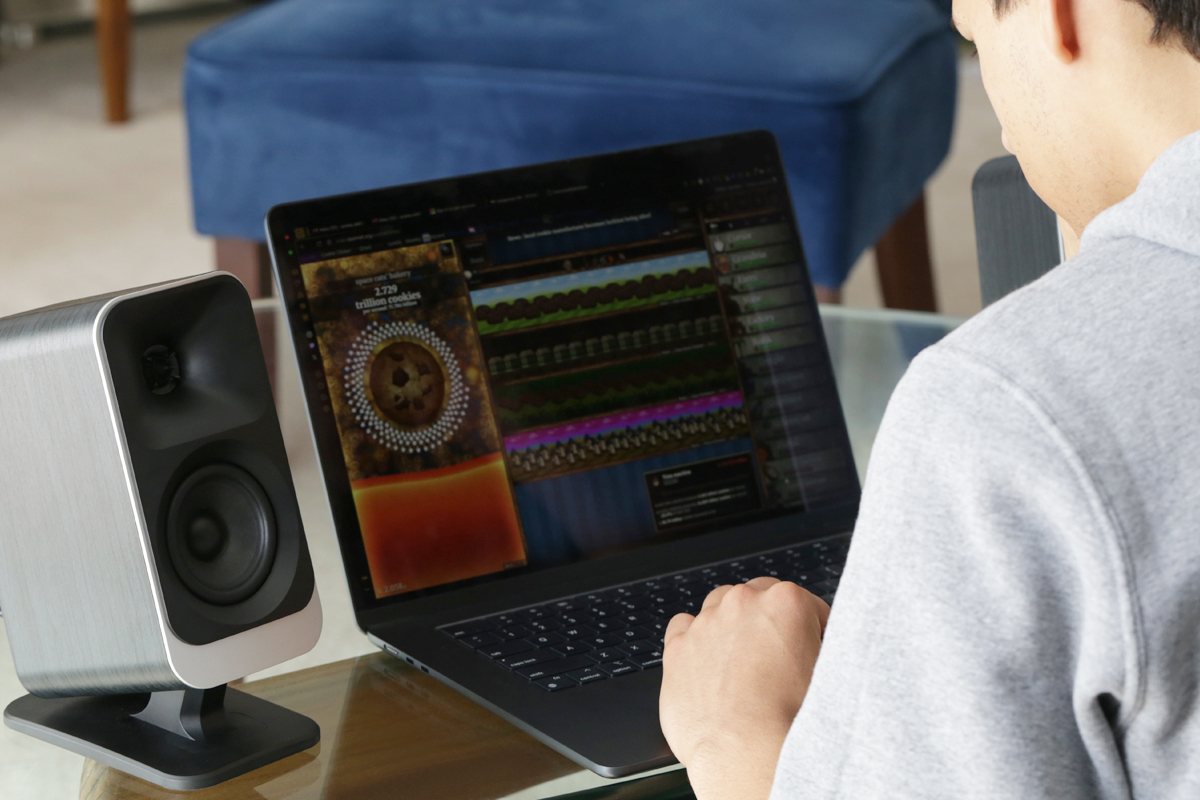
What the FiiO does better: its build quality is unusual for the price, and the die-cast aluminum enclosures outclass the Klipsch offering. In listening, its tonal balance was more even and neutral out of the box, with less of a pronounced high-frequency lift. And it produced a less colored midrange. I found the FiiO setup less hyped in its presentation, and it sounded fuller through the lower midrange and upper bass. The FiiO system sounded more accurate in general, although it did not sound as impressive as the Klipsch on first listen, as it couldn’t extend as low. The FiiO’s 65Hz lower limit is usable, but it does leave a gap that only a subwoofer can fill.
Wheel’s “Vultures” from Moving Backwards (24/44.1 FLAC, Odyssey Music Network / Spotify) functions as a good example of where the clearer, more technically accurate response of the FiiO speakers shines. The track features impressive drumming, a combination of technical precision and groove-sense that places the rhythmic foundation somewhere between the metronomic exactitude of Meshuggah’s influence and the more human looseness of ’90s grunge. Details of the harmonic movement and the rhythmic displacement in the verse sections reveal a compositional intelligence operating well beneath the surface. The production approach for the album might be described as “clean and heavy,” with an engorged bass sound that drives the music with considerable authority. I found this to work better with the faster, more precise delivery of the FiiO system, whereas it got bogged down by the Klipsch’s more resonant-sounding low-frequency delivery.
What the Klipsch does better is simple: it goes meaningfully lower than the FiiO. That advantage is most apparent on music with real low-frequency content. A good exemplar for this is Röyksopp’s “Impossible” from Profound Mysteries (24/44.1 FLAC, Dog Triumph / Spotify), built on a slow-burning electronic pulse of around 85 beats per minute that Svein Berge and Torbjørn Brundtland layer with characteristic meticulousness. Their signature production approach involves stacking textures so that no single element dominates: crunchy analog synth stabs, silken pad washes, and a subterranean bass throb all coexist in a carefully calibrated frequency balance. The result, with the Klipsch ProMedia Lumina, was a track that felt simultaneously massive and intimate, like a very large room in which the walls are upholstered.
The choice between these systems comes down to priorities. If you want a more neutral, studio-adjacent sound in a compact all-in-one stereo package and do not prioritize low bass, the FiiO is worth a serious look. If you want more bass extension, a slightly more enveloping nearfield experience, and the multimedia features that come with the Klipsch ecosystem, the Lumina makes a stronger argument.
Conclusion
There is an idealized version of the Klipsch ProMedia Lumina that comes very close to being the obvious desktop speaker recommendation at this price. The subwoofer is a genuine differentiator: few systems at this price will reach into the 40Hz range with any authority, and the Lumina does it in a package that fits under a desk and connects to a laptop over USB‑C. The horn-loaded tweeters deliver the kind of focused imaging that this format has always done well. And for electronic music, film sound, and gaming—content that benefits from bass extension and an assertive presentation—the system performs well enough to justify its cost.
The version that actually exists, though, comes with some friction attached. The high-frequency tilt in the satellites requires management, whether that means repositioning the speakers, reaching for third-party EQ software, or simply accepting a brighter-than-neutral character. The app equalizer cannot fully resolve the issue: its fixed bands top out at 8kHz, leaving the most affected region untouched. The proprietary satellite cables limit placement flexibility and represent a potential point of failure with no obvious workaround. The RGB lighting is a feature Klipsch clearly believes in, but they might instead have supplied a parametric EQ, an optical input, or a grille for the exposed subwoofer driver that you are supposedly keeping near your feet.
None of this disqualifies the Lumina. It just means knowing your own priorities before buying. If the bass extension matters more to you than neutrality, if you listen mostly to electronic music or watch a lot of video content, if you’re seriously into gaming, or if you want a coherent desktop system that does not require assembling components from different manufacturers, the Lumina delivers on what it promises.
. . . AJ Wykes
Associated Equipment
- Sources: Apple MacBook Pro (2019), iPhone 15
- Active speaker system: FiiO SP3 BT
Klipsch ProMedia Lumina 2.1 desktop speaker system
Price: US$379.99, CA$499, £329, €349
Warranty: One year, parts and labor
Klipsch
3502 Woodview Trace
Indianapolis, IN 46268
Phone: 1-800-544-1482
Website: www.klipsch.com