


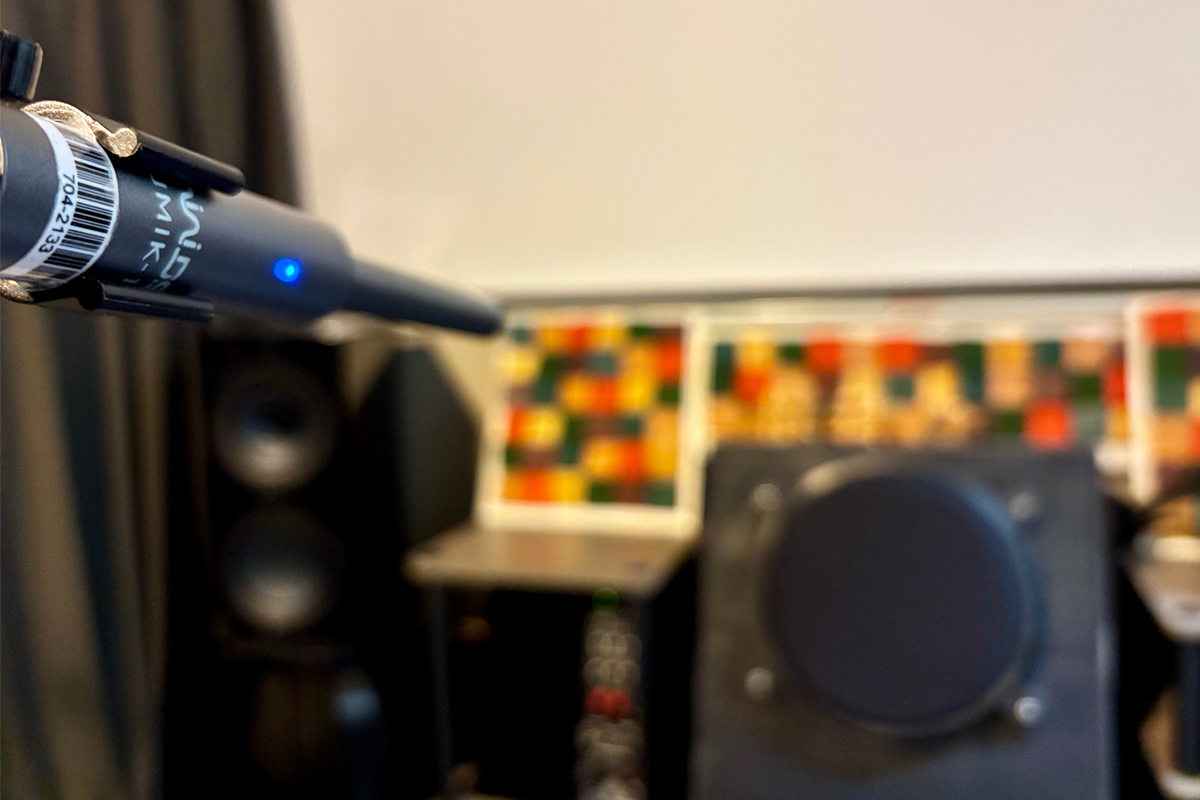
 For all the attention devoted to loudspeaker design and amplifier specifications, many discussions about hi-fi overlook the elephant in the room, or rather the elephant that is the room. Our listening spaces profoundly shape what we hear, in ways that can make differences between electronic components comparatively meaningless.
Collectively, your speakers, their location in the room, the room itself, and your listening position form your acoustic environment. While careful setup and acoustic treatment provide the foundation for accurate playback, digital room-correction systems can make substantial contributions toward achieving real high fidelity.
Across the SoundStage! Network, we’ve reviewed many components with built-in digital room correction. Examples include Anthem’s MRX SLM A/V receiver, which uses the Canadian company’s ARC Genesis room-correction technology, and Lyngdorf Audio’s TDAI‑1120 streaming integrated amplifier, which features the Danish brand’s RoomPerfect room-correction system.
We’ve also reviewed several products that let you add digital room correction. For example, Bluesound’s Node Icon streaming preamplifier and Dynaudio’s Focus 30 streaming active loudspeaker system are both Dirac Live Ready. You can add room correction to these products by purchasing a software license from Dirac Research, which is based in Sweden.
This review is a departure from our usual hardware-focused content. It’s a software review, the subject of which is Dirac Live Room Correction Suite (RCS), which runs on Mac and Windows computers, giving them the functionality of an advanced digital audio processor. The suite includes two components, which must be installed separately: the Dirac Live application, which is used to measure your room and generate filters, and the Dirac Live Processor, which applies real-time correction to audio playback.
A license for the full, multi-channel version of Dirac Live Room Correction Suite costs US$499. A stereo-only version is available for US$349. To uncover this offer, you have to click the More options arrow in the Room Correction area of Dirac’s Computer Audio page. Available separately for US$299, Dirac Live Bass Control offers the ability to optimize low frequencies to smooth bass presentation across seats and improve sub/speaker integration. This feature works with single or multiple subwoofers, managing complex low-frequency interactions. Dirac offers a bundle of the full version of Dirac Live RCS and Bass Control for US$699. For this review, though, I evaluated Dirac Live RCS, which incorporates the company's core optimization technology.
The concept behind room correction is simple. Measure how your speakers and room alter the audio signal, then apply inverse filtering to compensate for those alterations. Implementation, however, is considerably more complex. Unlike simpler equalization systems that merely adjust magnitude response, Dirac Live corrects both magnitude and phase response. The company claims that its patented algorithms can correct time-domain behavior in ways competing systems cannot match.
Setup and measurement
When I first set out to install Dirac Live on my 2019 Apple MacBook Pro, I had hoped the process would be straightforward—but the reality involved a few Mac-specific hurdles that weren’t immediately obvious. After I realized I needed both the Dirac Live calibration tool and the Dirac Audio Processor, I downloaded each from Dirac’s website, installed them, connected my measurement microphone, and set my Mac’s audio output to Dirac Virtual Audio Device. So far, so good. But when I launched the calibration tool, I was greeted with an empty window that simply said “Select Device,” with nothing to select—no devices found at all.
After a bit of troubleshooting, I discovered the culprit: macOS privacy settings. With macOS, applications need explicit permission to communicate over your local network, but I had apparently missed this setting when I launched the apps. The fix was buried in System Settings under Privacy & Security → Local Network. I found that DiracLiveProcessor wasn’t toggled on, so I enabled it and restarted both applications; suddenly, the Dirac Live Processor appeared as a selectable device in the calibration tool. It’s also necessary to make sure File Sharing is enabled in System Settings → Sharing, which is required for device discovery with macOS, though in my case the permission in Local Network turned out to be the key issue.
Once those permissions were sorted, everything worked smoothly. The lesson here: if you’re setting up Dirac Live on a Mac and the calibration tool can’t find the Dirac Live Processor, check your permissions in Local Network first—it’s the most common issue, and the easiest to overlook.
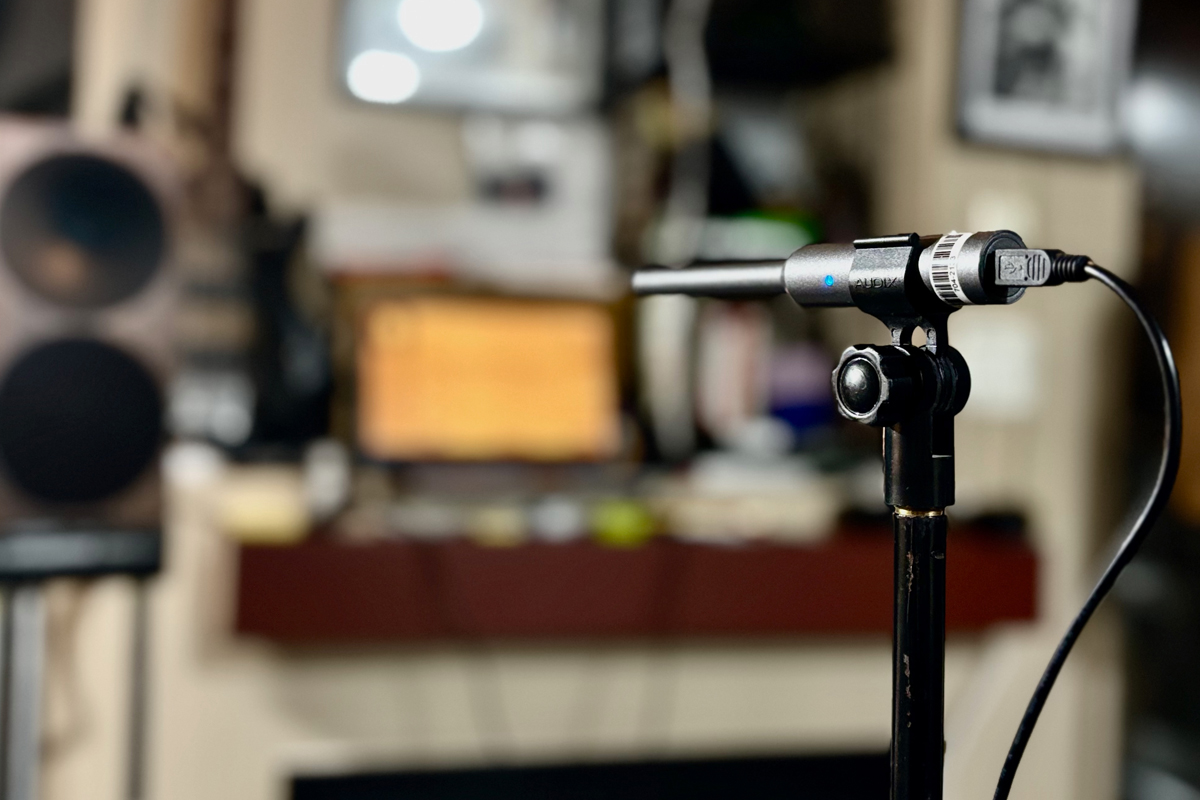
Getting started requires a calibrated measurement microphone. I used a miniDSP UMIK‑1 (US$79), which I already owned, though the software allows other measurement microphones with appropriate calibration files to be used.
The UMIK‑1 connects via USB and includes two calibration files, available online. According to miniDSP, the 0-degree on-axis file is for use with stereo systems, with the mike pointing towards the speakers, and the other file is for 90-degree use, with the mike pointing at the ceiling, for multichannel applications.
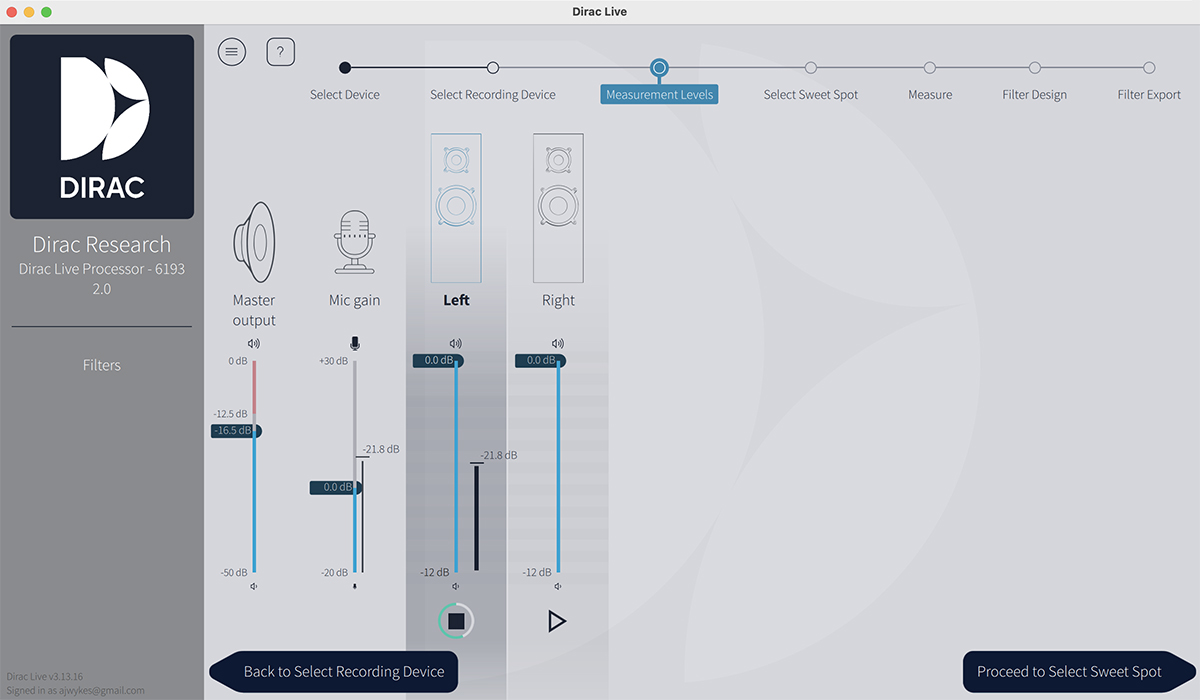
The Dirac Live application guides users through the measurement process with clear visual instructions. After selecting the measurement microphone and uploading its calibration file, the software confirms appropriate playback levels and microphone gain using pink noise. You then choose between studio (for content creators) and home-listening scenarios. The home-listening option breaks down further into another three options. These are Focused (9 measurement positions for a single listener), Wide (13 positions for a small group), or Expanded (17 positions for multiple seating areas). I selected the Wide option for my first test.
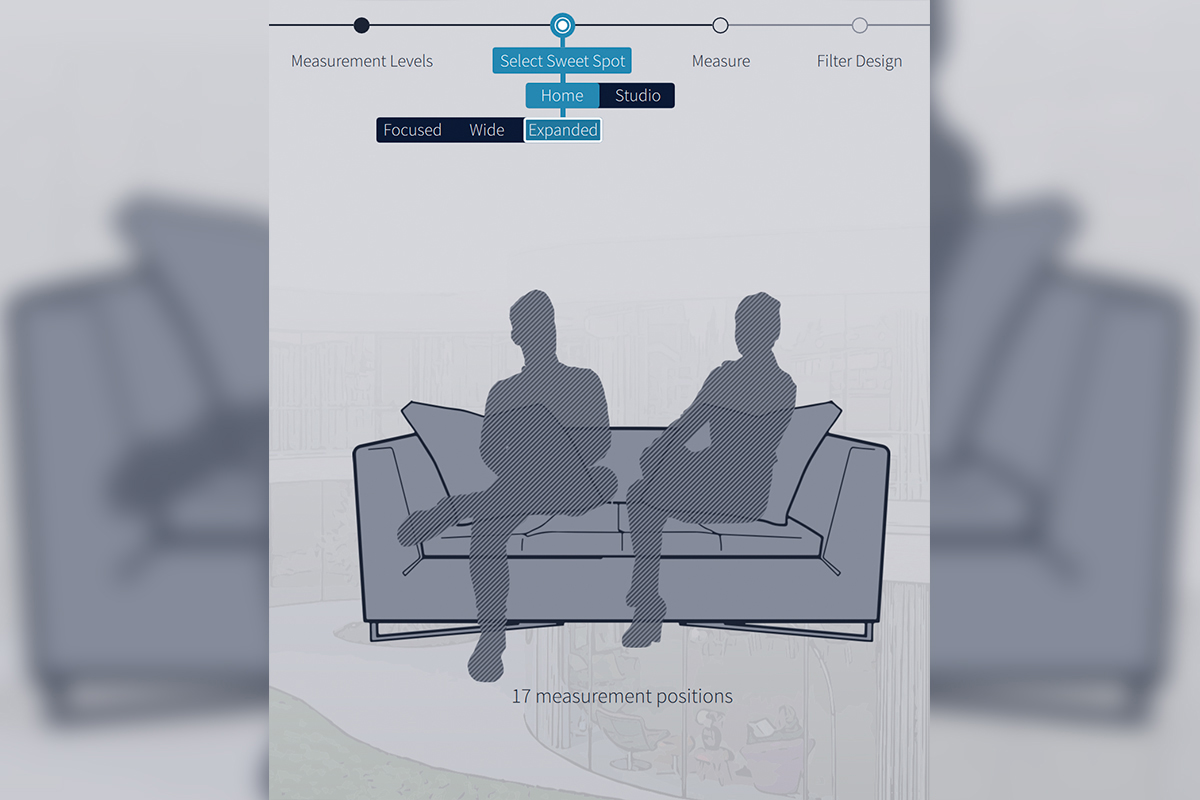
The software recommends microphone positions with a helpful diagram, though it provides no specific distances between measurement locations, so some user judgment is required. Once you position the microphone and initiate a measurement, the application plays swept test tones through each speaker. Three sweeps per location are played to ensure data quality. The software provides real-time feedback about the measurement quality, alerting you to issues like excessive background noise.
Taking the measurements typically requires 10 to 25 minutes, depending on the number of positions and the amount of care you exercise. The system allows for saving and comparing different measurement sets. This capability transforms Dirac Live from merely a correction tool into a comprehensive room-analysis platform. Users can experiment with speaker positioning or acoustic treatments and objectively evaluate their impact.
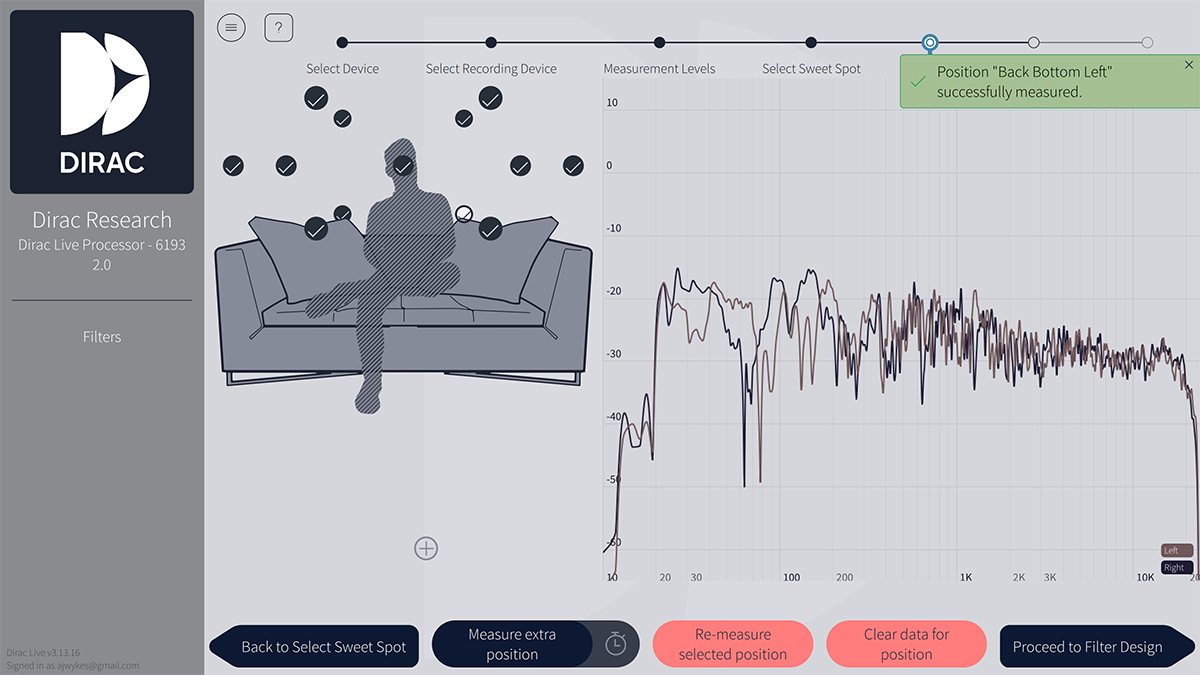
The measurement process, while generally straightforward, demands attention to detail. Inadequate measurements due to background noise, improper microphone positioning, or insufficient measurement points will compromise correction quality. Taking time to understand proper technique will pay dividends in your final results.
Analysis and customization
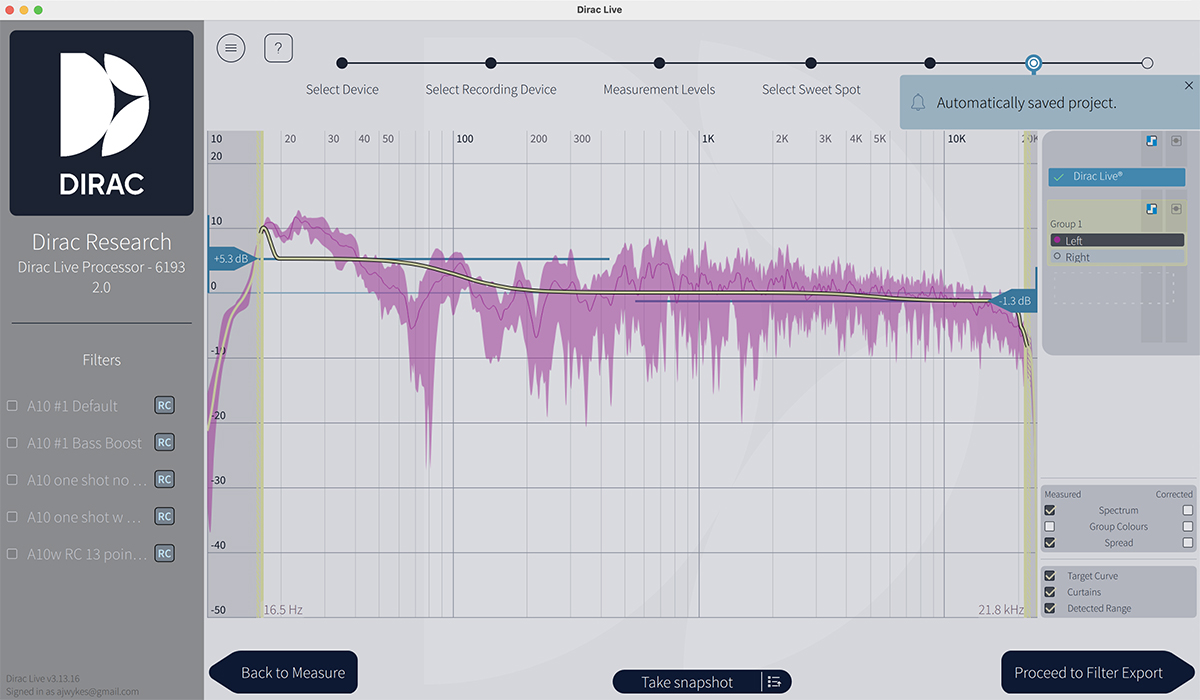
Once the measurements are complete, Dirac’s servers process the data and then present detailed frequency-response graphs in the app showing the uncorrected room response. The visual representation often proves illuminating, revealing dramatic variations in frequency response that listeners might not consciously identify but will certainly hear as coloration or imbalance.
The software’s default target curve represents Dirac’s research into psychoacoustically optimal frequency responses. Rather than pursuing a perfectly flat response (which sounds completely unnatural), Dirac applies a gentle downward tilt towards the higher frequencies. This approach, supported by research into preferred in-room listening, acknowledges that our perception of tonal balance in rooms differs from ideal (perfectly flat response on axis) anechoic measurements.
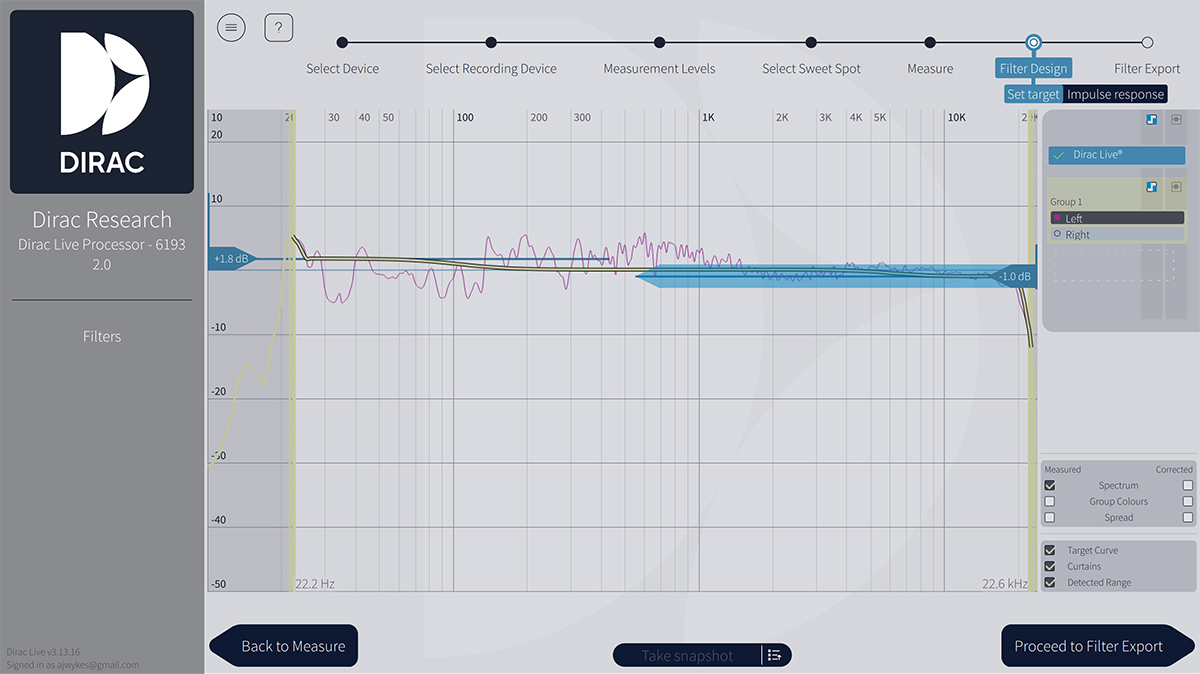
One of Dirac Live’s greatest strengths lies in flexibility of customization. Users can adjust the target curve to suit their personal preferences or specific acoustic goals. The interface allows both broad adjustments and fine-grained control, enabling emphasis or de-emphasis of particular frequency ranges. This proves especially valuable for addressing taste-based preferences. Some listeners prefer more prominent bass, while others want a more neutral presentation.
Technical approach
Dirac Live employs what the company calls “mixed-phase” room correction. Most digital equalizers are minimum-phase systems, meaning they adjust magnitude response but leave phase largely unaddressed. Room acoustics, however, introduce both magnitude and phase errors. Reflections from walls, floor, and ceiling introduce timing delays that vary with frequency, while passive speaker crossovers contribute additional phase shift. The interaction of multiple room modes creates further complex phase relationships.
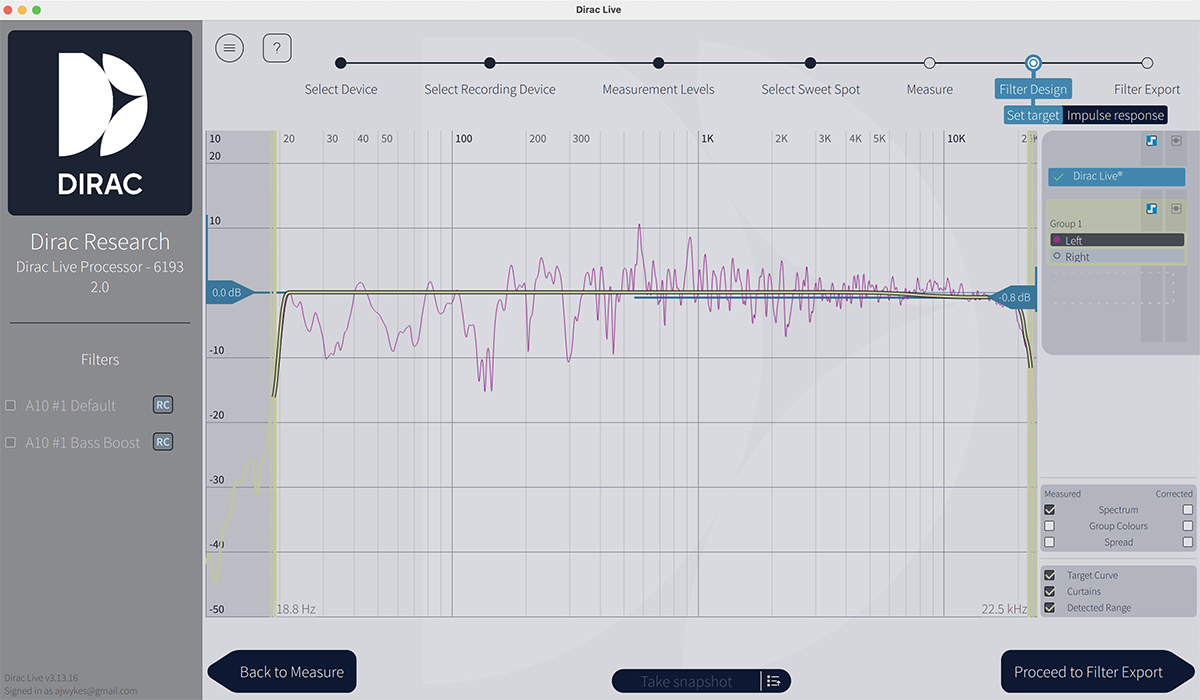
Dirac Live constructs a mathematical model from the multiple measurement positions that represents both magnitude and phase response across the listening area. The correction filters it generates address common phase errors found at all measurement positions while avoiding corrections that might improve response at one location but degrade it elsewhere. This approach prevents the system from “chasing nulls”—attempting to boost frequencies that are canceled by room reflections, which would be ineffective and potentially damaging to speakers.
The system also applies smoothing to the magnitude-response correction and limits maximum gain to prevent overdriving amplifiers or speakers. These constraints increase the robustness of the filters, ensuring correction remains consistently beneficial across the listening area rather than being optimized only for the exact measurement locations.
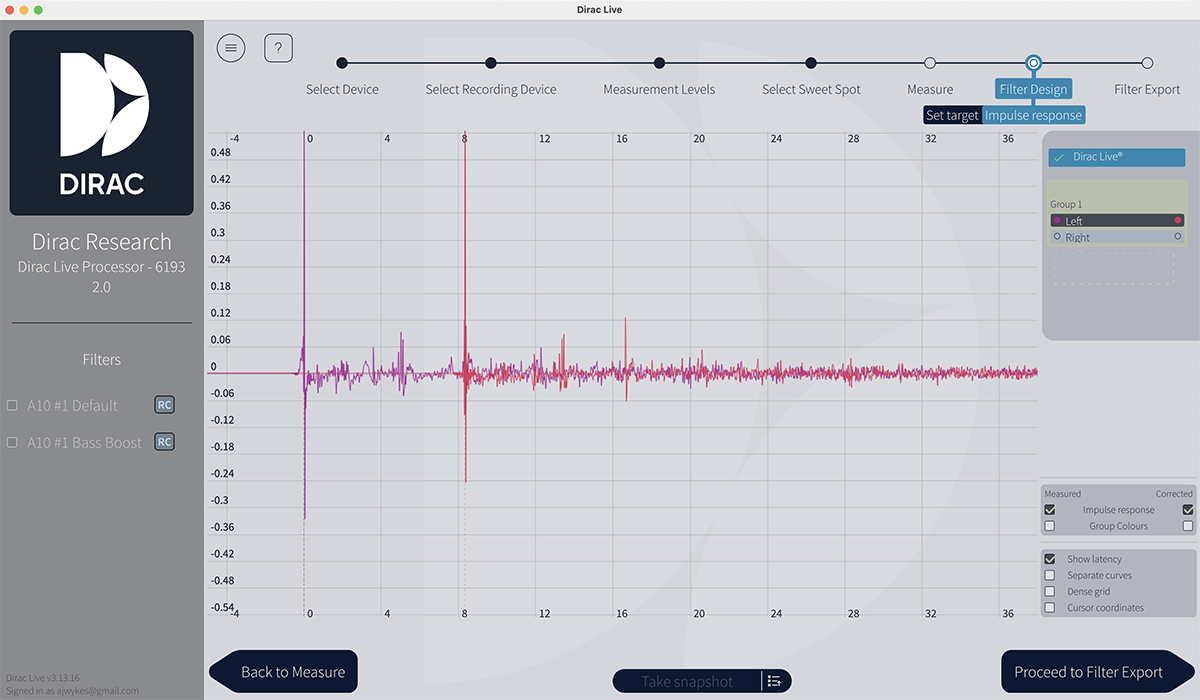
Signal processing adds only a few milliseconds of latency, which, while unimportant for music listening, is negligible enough for it not to be an issue with video playback either. The system maintains full audio resolution, supporting high-resolution formats without downsampling or quality degradation.
One thing that caught me off guard after getting Dirac Live running was the noticeable reduction in output level. When room-correction software like Dirac Live processes audio digitally, it needs to apply both boosts and cuts across different frequencies to flatten response. The problem is that digital audio has a fixed ceiling (0dBFS), and you can’t boost frequencies beyond that without causing distortion or clipping. To avoid this, Dirac Live automatically reduces the overall signal level before applying corrections, creating headroom for the boosts it needs to make. This means your volume slider might need to be higher than before to achieve the same perceived loudness, and your absolute maximum volume will be lower than it was without Dirac Live running. This headroom requirement is a fundamental limitation of digital signal processing, not a flaw in Dirac Live itself.
Listening 1
My primary reference playback system consisted of the Buchardt Audio Anniversary 10 active loudspeakers with the Platin Stereo Hub WiSA transmitter, reviewed in February 2024 by Gordon Brockhouse. I’d spent a couple of weeks getting familiar with the speakers’ sound, and was already extremely impressed and happy with their performance. They were set up 6′ apart, mounted on 40″-tall sand-filled stands in my 16′ × 9′ living space, which also connects to the main hallway of my apartment. I linked my MacBook Pro, loaded with the Dirac software, to the Platin Stereo Hub’s USB input and ran the calibration procedure outlined above, with Dirac Live set to provide full-range correction.
I knew the Anniversary 10s were capable of serious bass output; these speakers have a reputation for punching significantly above their size. But something about my large, odd-shaped main room was keeping them from fully delivering on that promise. Sure, the bass was there, but it lacked the full extension and impact I knew the A10s were capable of delivering.
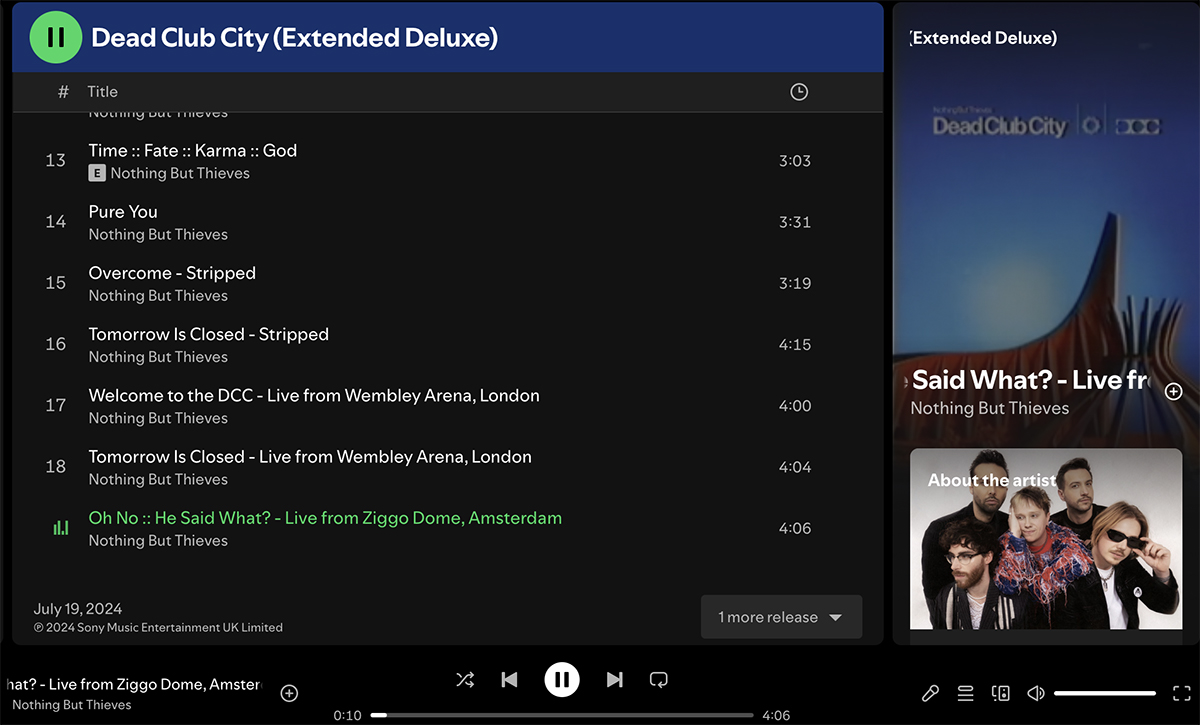
When I enabled Dirac Live in the signal fed to the Platin Stereo Hub, the transformation in the track “Oh No :: He Said What?” by Nothing But Thieves from Dead Club City (Extended Deluxe) (24‑bit/44.1kHz FLAC, RCA Records Label / Spotify) was immediate. The driving bass line that anchors the song was tighter, each note articulated with better uniformity. Bass notes sounded out more evenly, as I know they are presented on the recording from listening on other music systems and headphones.
The soundstage improvements were perhaps more dramatic. Sitting in the sweet spot between the speakers, the stage was transformed. Surprisingly, it didn’t get wider—it actually narrowed, but it was more like a perspective shift. It became less chaotic, better centered, and more symmetrical. The presentation was more focused and three-dimensional rather than diffuse and random.
Front-to-back depth also improved. Conor Mason’s layered vocals and harmonies detached completely from the speakers and were instead floating in a three-dimensional space with remarkable precision, a space in which I could also pinpoint exactly where each guitar layer sat in the mix. When the arrangement built to its explosive choruses, the wall of sound didn’t turn into congestion but maintained its architectural clarity.
The midrange was cleaned up considerably, which matters enormously for Mason’s distinctive falsetto. Guitar tones, especially during the angular, distorted passages, had clear texture and definition. There was an enhanced tightness to transients: the snap of the snare, the attack of the guitars. Everything felt immediate and rhythmically precise. Dirac Live removed some fog I hadn’t realized was there, and the presentation was certainly drier, with less of the coloration the room was adding before, yielding undeniable improvements in accuracy and clarity.
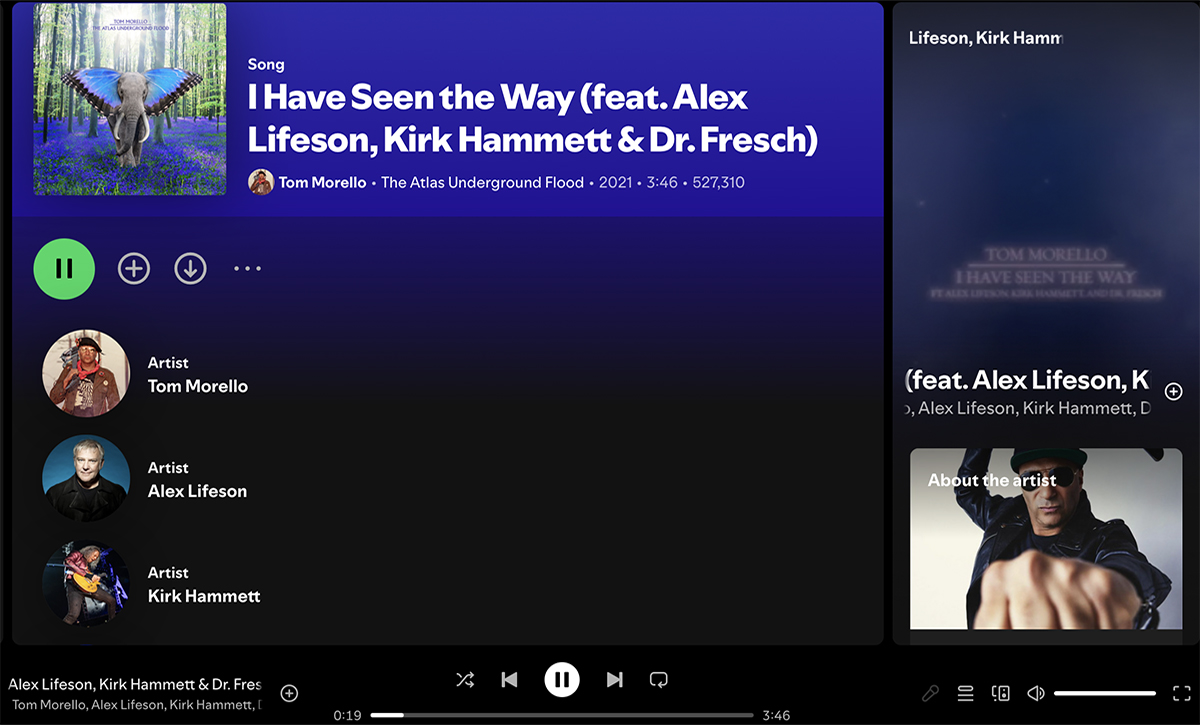
The track “I Have Seen the Way (feat. Alex Lifeson, Kirk Hammett & Dr. Fresch)” from Tom Morello’s The Atlas Underground Flood (24/44.1 FLAC, Mom + Pop / Spotify) is a monster for testing bass, and, frankly, that was where my room was causing the most problems. Before I implemented Dirac Live, Dr. Fresch’s bass drops and wobbling sub-bass elements had been exciting but uneven, such that the interaction between the synthesized bass and the electric-guitar tones was somewhat masked. The Anniversary 10s proved absolutely capable of delivering physical impact, but room modes had been compromising what should have been precise, punchy bass. After applying Dirac Live, the difference was obvious. Those bass drops slammed with greater authority, allowing me to hear the texture and pitch of the sub-bass. The low end had more definition, making it easier to distinguish between the synthesized bass and the low end of the guitar tracks.
The soundstage on this track is particularly interesting because it features three legendary guitarists, each bringing their own voice, with Dr. Fresch’s electronic production adding spatial effects and panning. Before Dirac Live, guitars were distinct, but when the arrangement gets dense, the stereo cues were less clear. Dirac Live’s processing brought more order to the soundstage. Morello’s kill-switch effects and unconventional techniques pinged around the stereo field with pinpoint placement; Lifeson’s melodic work created layers of depth that receded convincingly into the soundstage; and Hammett’s lead lines cut through with three-dimensional presence. Sitting in the sweet spot, I got that rock-solid center image where the main riff anchors the sound, with elements spreading left and right, creating spatial envelopment.
Improvements extended beyond the primary listening position. While the sweet spot naturally receives the most precise correction, the multipoint measurement approach creates a reasonably sized listening area where audio quality remains substantially improved. This practical consideration matters significantly for real-world use, where listeners don’t always occupy the exact center position.
When I moved laterally around the room, I was struck by how much the correction maintained the integrity of the mix’s balance. Obviously, imaging precision suffered somewhat when I wasn’t centered, but the tonal balance remained consistent. Before Dirac Live, sub-bass frequencies would boom in certain spots, and in others they felt anemic. With Dirac Live enabled, bass response was more consistent throughout my room. This made it easier to hear the mix rather than what the room was adding or subtracting. The glitchy electronic effects, the different distortion characters of each guitarist, the interplay between analog and digital sounds—all of this was resolved with greater focus. The track pushes contemporary loudness standards hard, but Dirac Live added enough clarity in the midrange and control in the low end that I could appreciate the production without fighting through room-induced congestion.
Listening 2
I also evaluated Dirac Live with my secondary system in my 11′ × 8′ acoustically treated den. That system comprises a pair of KEF R3 Meta passive speakers driven by the Eversolo Play streaming integrated amplifier, supplemented by a Rythmik Audio F12SE subwoofer in a custom enclosure. This setup presented a different challenge than the Anniversary 10s in the larger room. Room treatment has partially addressed some of the issues in this cramped listening space, but the bass is still problematic, and the transition between the R3 Metas and the subwoofer was an obvious area where things got more complicated.
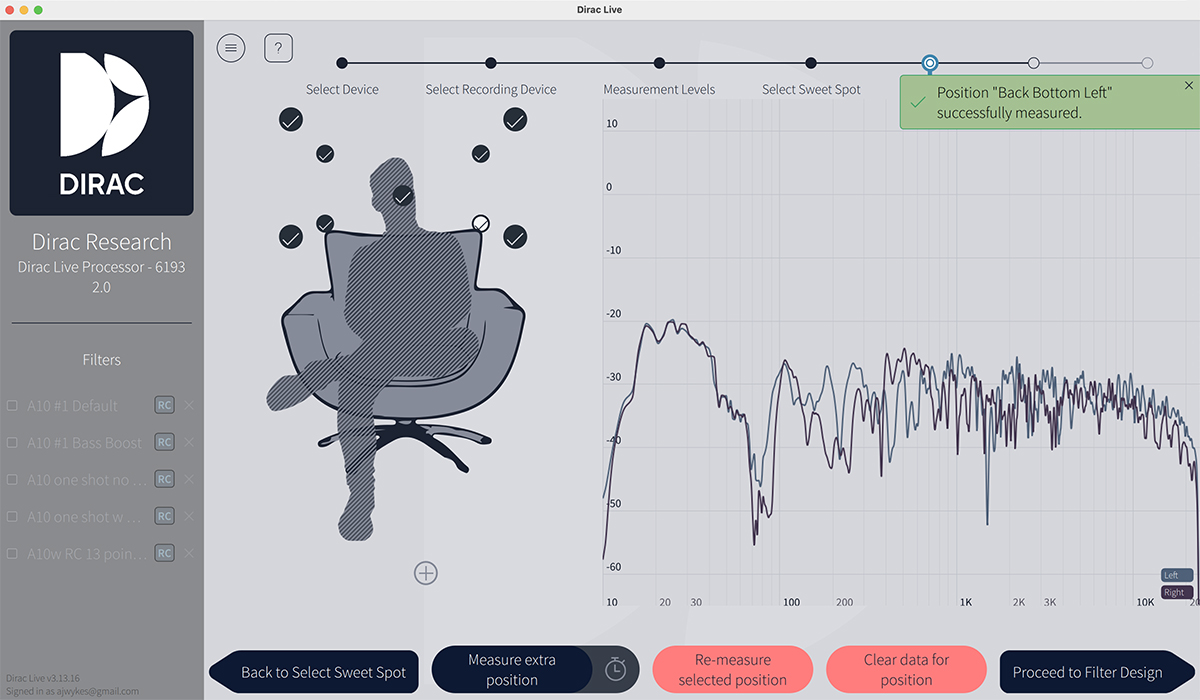
I ran the measurement process again, this time opting for the Focused option, requiring 9 measurement positions rather than 13.
In this space, the bass-response improvement wrought by Dirac Live proved immediately apparent. My den has strong low-frequency peaks and nulls due to standing waves between parallel surfaces. This compounds one of the issues with my secondary system—namely, the transition between mains and subwoofer, which is made problematic by room modes in the same frequency region.
Dirac Live smoothed these irregularities very effectively. Bass frequencies that previously dominated and others that essentially disappeared were now reproduced with much more consistent weight. The integration of the KEF standmounts with the Rythmik subwoofer was considerably improved. With Dirac processing active, the bass became tighter and smoother. And the system sounded more coherent across the entire frequency range; the improvement was not subtle.
Midrange clarity was also significantly enhanced. By correcting both magnitude and phase response, Dirac Live improved the coherence and timing of sounds arriving at the listening position. Vocals emerged with greater presence and intelligibility. Instruments exhibited improved separation and definition.
Soundstaging improved noticeably, with instruments and voices occupying more clearly defined positions in space. Again, the soundstage seemed wider without processing, but with Dirac Live enabled, the center image solidified dramatically while maintaining ample width.
High-frequency reproduction benefited from improved smoothness. Room reflections can create comb-filtering effects in the treble region, causing certain frequencies to either reinforce or cancel one another. Dirac Live’s corrections addressed these issues, so that cymbals, strings, and other high-frequency content sounded more natural and less fatiguing during extended listening sessions.
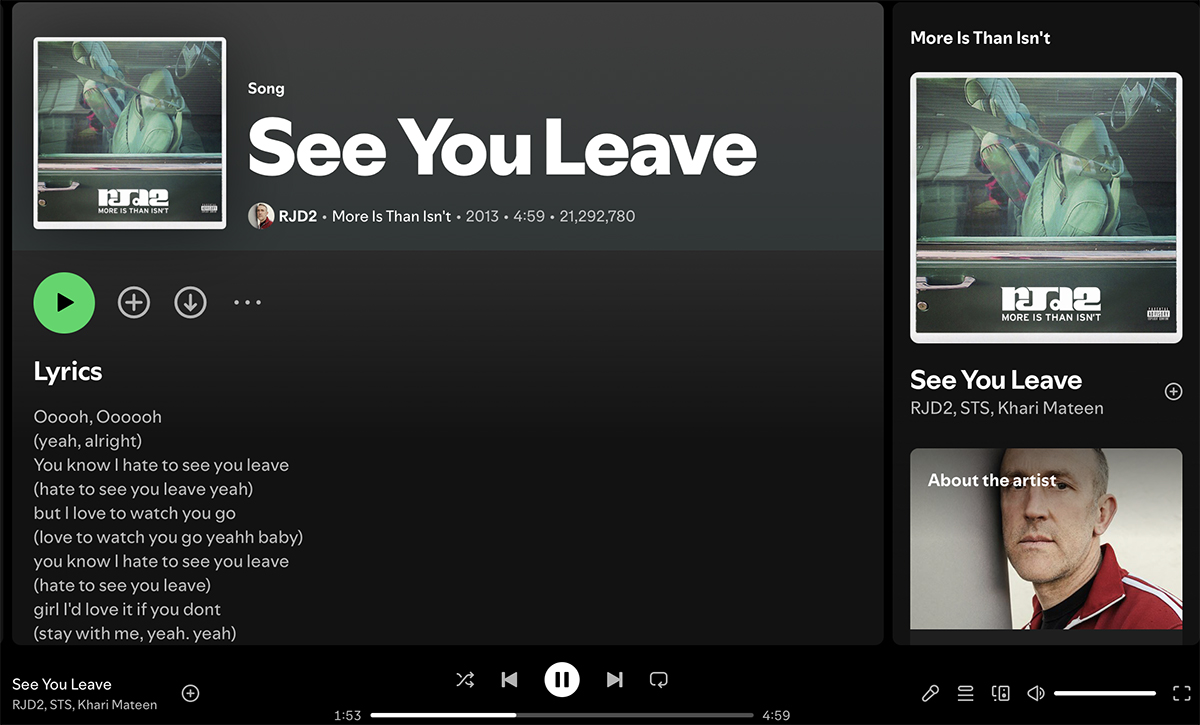
RJD2’s production on the collaboration “See You Leave” from More Is Than Isn’t (24/44.1 FLAC, RJ’s Electrical Connections / Spotify) is rich with sample-based textures and a carefully crafted low end that needs to translate seamlessly across the crossover point to the subwoofer. Before enabling Dirac Live, certain bass notes from the sub would activate the room, and others were uneven and erratic. With Dirac Live engaged, those uneven bass notes smoothed out dramatically, revealing the musical intent of the production rather than the acoustic quirks of the listening space.
The solidity of the center image and soundstage depth were enhanced noticeably with Dirac Live enabled. The R3 Meta’s Uni‑Q driver array already creates an impressively coherent point source, but Dirac Live took that coherence and extended it into a larger, more three-dimensional projection. The sampled elements, the live instrumentation, and the vocal performances from Khari Mateen and STS were all locked into distinct spatial positions. I could hear the layers of the arrangement more clearly. The way RJD2 stacks his samples and live elements became more apparent, with each component occupying its own zone in the soundstage rather than fighting for space. Shifting about on the sofa, I found the tonal balance remained much more consistent than before. The subwoofer integration improved to the point where I stopped thinking about how the crossover was set. It just sounded much closer to a full-range system.
Midrange clarity also improved substantially, which mattered for the delivery of vocals. Before Dirac Live, there was a slight thickness in the lower midrange that I’d attributed to the room’s smaller dimensions and the acoustic treatment’s characteristics. After correction, that thickness lifted, and the vocals became more present and articulate without losing their warmth. The crisp, well-tuned drums that characterize RJD2’s production style had more snap and definition. Each element of the drum kit was easier to isolate and appreciate. The overall presentation felt more transparent, lifting a subtle veil that had been obscuring micro-details in the mix. The track’s dynamics opened up as well. The breathing room in the verses felt more spacious, and the build into the choruses created more impact because the individual elements weren’t competing with room resonances for my attention.
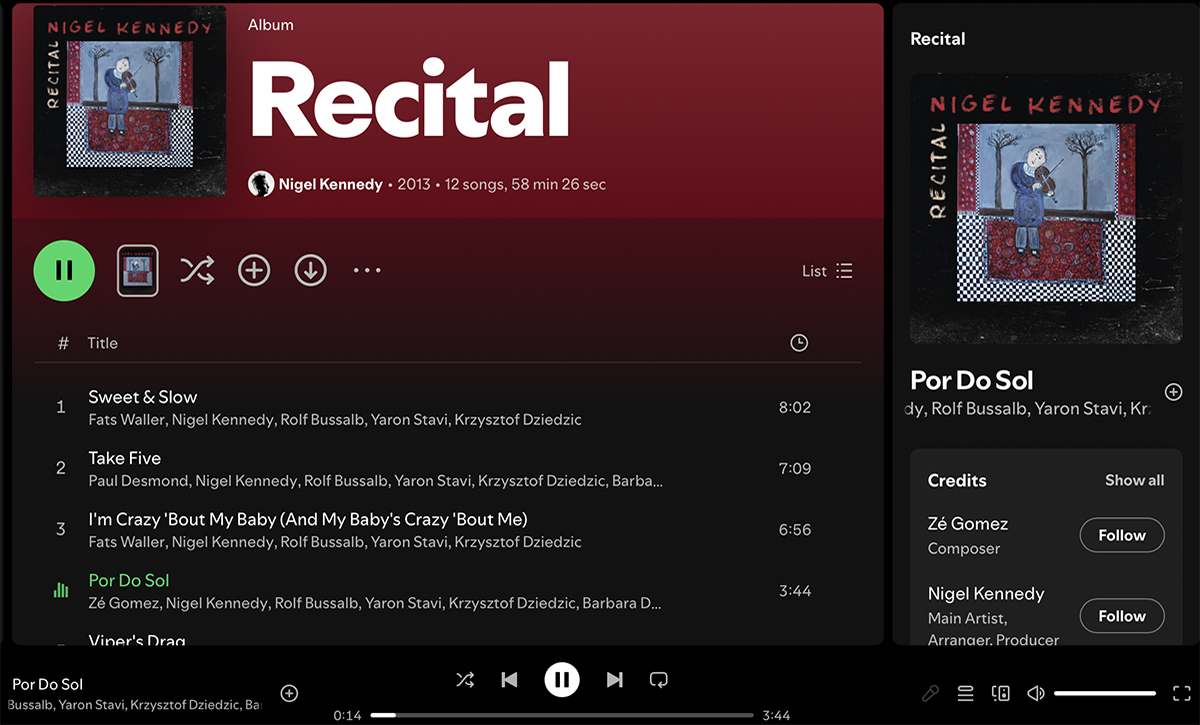
“Por Do Sol” from Nigel Kennedy’s Recital (24/44.1 FLAC, Masterworks / Spotify) presented a fascinating test case for Dirac Live, because it features acoustic instrumentation with significant dynamic range and timbral complexity. Kennedy’s violin work, combined with the ensemble’s blend of classical technique and world-music influences, demands that the system reproduce everything from delicate, high-register passages to full-bodied, resonant low-end contributions from the bass and percussion. The R3 Metas have excellent timbral accuracy, and the treated room provided a relatively dead-sounding starting point. However, running Dirac Live revealed not-so-subtle colorations I hadn’t been able to previously address. The violin’s tone became more natural and realistic, with better preservation of the instrument’s harmonic content across its entire range.
The soundstage presentation transformed in ways that were very apparent on this material. Kennedy’s violin took on a pinpoint position in the mix, allowing me to better visualize where the instrument sat in the virtual acoustic space. When Kennedy moves into his more improvisational, technically demanding passages, the system tracked every nuance without smearing or congestion. The integration between the R3 Metas and the Rythmik sub was particularly important here. In ideal settings, the bass elements on this track should provide a foundation for the other instruments without overwhelming the midrange and treble detail. With Dirac Live enabled, the low-end support felt more coherent, arriving in perfect sync with the midrange and treble information.
From a dynamic standpoint, improvements were more subtle on this track. The system reproduced the natural swells and diminuendos of the performance with greater ease and less sense of compression. Quiet passages revealed low-level detail, while louder sections maintained their impact without harshness. The treble seemed smoother, not because Dirac Live removed detail or rolled off the top end, but rather because it addressed problems caused by resonances and reflections. Dirac Live elevated consistency to a level that the acoustic treatment alone hadn’t attained. The overall character shifted from what had been a decent but colored presentation to something that felt more neutral and transparent, allowing the artistry of the performance to come through with less interference from the playback environment.
Comparisons
Comparing digital room-correction technologies presents challenges that make definitive judgments difficult. Different systems employ different target curves representing what their designers believe constitutes optimal in-room frequency response. Some aim for a flat response (which, as mentioned, isn’t ideal), others apply a gentle high-frequency rolloff, and still others incorporate bass boosts or midrange shaping. Target-curve philosophies are often treated as proprietary information. A system that sounds brighter or bassier than another might simply be implementing a different target curve rather than performing better or worse correction.
Different systems also offer varying degrees of user control over these target curves. Some allow complete customization, while others provide limited adjustment or none at all.
The Platin Stereo Hub used with Buchardt’s Anniversary 10 speakers has its own built-in room-correction system, called Room EQ, as does the Eversolo Play streaming amplifier I used to power the KEF R3 Metas. Each approach has merits and limitations, but neither is as comprehensive or as effective as Dirac’s offering.
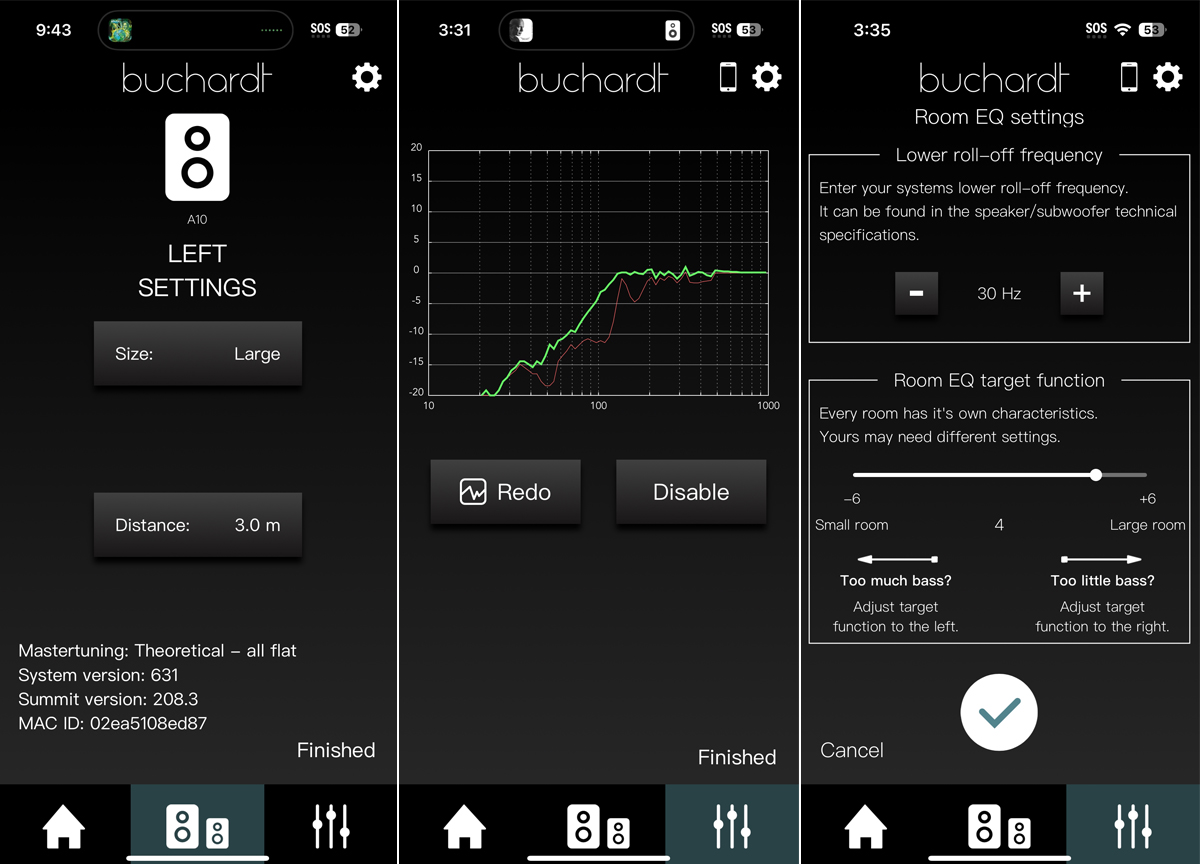
While Buchardt’s Room EQ system is convenient, it provides minimal user control over target curves and correction parameters, and acts only on the low-frequency portion of the spectrum. Gordon Brockhouse describes Room EQ in his review of the Anniversary 10 (and also his review of Buchardt’s A500, as well as System Audio’s Silverback 1 and Legend 7.2 Silverback active speakers, all of which work with the Platin Stereo Hub). Basically, the Room EQ process involves wandering around the room holding a smartphone while the speakers emit noise, which is obviously less precise than Dirac’s approach. Nonetheless, I found the adjustments performed by Buchardt’s Room EQ function to be beneficial. The bass region, which was being sucked out by the room, was now more filled in; this fattened up the sound in a pleasing way. While the Room EQ adjustments proved serviceable, they lacked the refinement Dirac Live achieved.
The Eversolo Play’s built-in correction, which I covered in my review of that component, similarly offers ease of use but limited customization. I found that Dirac Live’s phase correction capabilities delivered more significant improvements in clarity and soundstage precision. While the difference was not night and day, it was consistently audible across various program selections.
Limitations and considerations
There are some limitations worth noting. Obviously, Dirac Live cannot overcome fundamental acoustic problems stemming from poor room design or speaker placement. While it ameliorates issues to a remarkable degree, severely problematic rooms with extreme modal behavior or very short reverberation times will still always benefit from traditional acoustic treatment alongside electronic correction.
Dirac Live Processor can only be applied to audio playback on the computer’s hardware outputs, which typically means USB, analog, and possibly optical S/PDIF. Wireless streaming protocols, such as AirPlay, that bypass the computer cannot be corrected. And Dirac Live RCS does not correct audio when using Spotify Connect, Qobuz Connect, or Tidal Connect, because audio streams bypass the device running the streaming app when those Connect features are employed, and flow directly to the playback device.
Dirac Live RCS works only with playback software running on the computer being used for the Dirac Live Processor. In most home-listening applications, playback options will include apps for music-streaming services like Qobuz and Tidal, apps for video-streaming services like YouTube and Netflix, and apps for playing locally stored music, such as Audirvāna and JRiver Media Center. A component with built-in Dirac Live capability is a better solution for listeners who want to apply room correction when using external sources like a turntable, disc player, or game console; or who want to use Connect features or wireless protocols like AirPlay.
Conclusion
After a couple of weeks of measurement, listening, and comparison across systems, I can report that Dirac Live delivers tangible improvements that amply justify its price and the effort involved in setup. Over extended listening periods, Dirac Live became transparent in daily use. Once configured, it worked without requiring constant adjustment or attention, even when moving back and forth between my two systems. This consistency matters enormously, because it provides practical enjoyment without endless tweaking. Dirac, of course, encourages periodic re-measurement if speaker positions change or room furnishings are substantially altered. However, my corrections remained remarkably stable over time.
The degree of improvement will vary with the severity of room problems and quality of the underlying system, but the results consistently impressed me. Dirac Live made both of my music systems sound better. Not just different, but better. Bass became more linear and controlled. The midrange opened up with improved clarity and separation. The soundstage gained focus and depth. These improvements were immediately obvious and consistently present across all listening material.
For anyone running a computer-based audio system, the Dirac Live Room Correction Suite deserves attention as undoubtedly the most effective system upgrade for the money. It transforms good speakers in imperfect rooms into systems that get extremely close to their full potential.
. . . AJ Wykes
Associated Equipment
- Computer: Apple MacBook Pro (2019)
- Active speakers: Buchardt Audio Anniversary 10 and Platin Stereo Hub
- Passive speakers: KEF R3 Meta
- Integrated amplifier: Eversolo Play
- Subwoofer: Rythmik Audio 12″ Direct Servo
- Measurement equipment: miniDSP UMIK-1, K&M boom mike stand
Dirac Live Room Correction Suite
Price: US$499 for full, multi-channel version; US$349 for stereo-only version
Dirac Research AB
Dragarbrunnsgatan 73
753 20 Uppsala
Sweden
Phone: +46 18 410 82 10
Email:
Website: www.dirac.com